

Removing a TV from a wall mount sounds simple until you are holding the screen, the bracket will not release, the HDMI cables are still connected, or the mount has hidden safety locks. A safe TV removal depends on knowing the mount type, supporting the screen properly, disconnecting cables without damaging ports, and deciding what happens to the wall plate afterward.
This guide explains how to remove a wall-mounted TV safely and what to check before moving, replacing, storing, or remounting it. If you want a clean takedown and reinstall, Artesoft provides a professional TV mounting service for homes and businesses across the DMV area.
Need help removing or remounting a TV?
Artesoft can help take down an existing wall-mounted TV, protect the screen, manage cables, remove or reuse the bracket, and remount the TV in the right location.
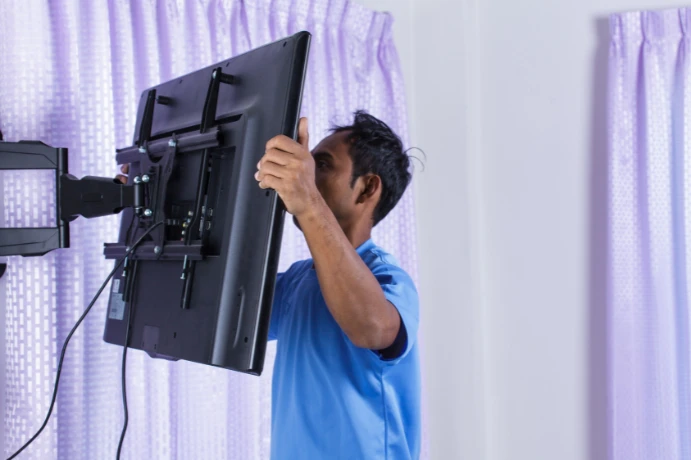
Why TV Removal Takes Planning
Most wall-mounted TVs use two main parts: a wall plate attached to the wall and TV brackets attached to the back of the screen. The TV usually hangs on the wall plate, then locks in place with screws, straps, tabs, pull cords, or a bottom locking bar.
The risk is that every mount is a little different. If you pull in the wrong direction, loosen the wrong screws, or release the lock before someone is supporting the TV, the screen can shift suddenly.
Common problems during TV removal include:
- A safety lock keeps the TV from lifting off
- Short cables pull against the ports
- A soundbar or streaming device remains connected
- Hidden release cords sit behind the TV
- One person cannot control the TV’s weight
- Someone loosens the wall plate before removing the TV
- Removal damages or pulls in-wall wires
- A hard surface scratches or pressures the screen
The goal is not just to get the TV off the wall. The goal is to remove it without damaging the screen, the bracket, the wall, or the connected wiring.
Before You Remove The TV
Start by checking the setup before touching the mount. A few minutes of planning can prevent a cracked screen, bent connector, or wall damage.
Before You Remove The TV Checklist
- Confirm the TV size and weight
- Have a second person ready before releasing any locks
- Clear furniture and obstacles below the TV
- Prepare a soft, flat surface for the TV
- Find the TV power cable, HDMI cables, coax, optical audio, and soundbar connections
- Take a photo of the cable layout before disconnecting anything
- Identify the mount type if possible
- Look for safety screws, pull cords, release tabs, straps, or locking bars
- Check whether any cables run inside the wall
- Decide whether you will store, move, replace, or remount the TV
- Keep a small container ready for screws and hardware
- Do not loosen the wall plate while the TV still hangs on it
If the TV sits high, weighs a lot, hangs above a fireplace, or uses a full-motion mount, treat the removal as a two-person job from the start.
Safety note
Do not loosen or remove the wall plate while the TV still hangs on it. The wall plate supports the screen until two people fully lift the TV off the mount, and loosening it too early can make the setup unstable.
Tools And Supplies To Have Ready
You may not need every tool below, but having them nearby keeps the removal controlled.
TV Removal Tool Checklist
- Phillips screwdriver
- Flathead screwdriver
- Socket wrench or nut driver
- Allen key set
- Flashlight
- Painter’s tape for labeling cables
- Small container or bag for screws
- Moving blanket, soft towel, or padded surface
- Work gloves with grip
- Phone camera for documenting cable connections
- Stud finder if you may remove or relocate the wall plate
- Spackle, putty knife, and touch-up paint if you plan to patch holes
Older mounts may use visible screws. Newer mounts may use hidden locking tabs or pull cords. Do not force the TV upward until you understand how the lock releases.
How To Remove A TV From A Wall Mount
Step 1: Turn Off And Disconnect The TV
Turn off the TV, then unplug the power cable from the outlet or recessed power kit. Disconnect HDMI cables, coax, optical audio, Ethernet, USB, antenna cables, game consoles, streaming devices, and soundbar connections.
If you plan to reconnect everything later, label each cable with painter’s tape or take a clear photo before unplugging it. That step helps when the TV belongs to a larger entertainment setup.
Disconnect power and signal cables before moving the TV so the ports do not bend or pull during removal.
Step 2: Inspect The Bottom And Back Of The Mount
Look under the TV and along the lower edge of the bracket. Many mounts lock at the bottom. You may see small screws, pull cords, latches, clips, or straps.
Use a flashlight if the TV sits close to the wall. When the release mechanism sits out of view, gently tilt or pull the bottom of the TV only as much as the mount allows. Do not pull hard enough to stress the bracket or cables.
Step 3: Release The Safety Lock
Release the mount lock according to the mount style:
- Safety screws: loosen the screws at the bottom of the TV brackets
- Pull cords: pull both cords down to release the lower hooks
- Locking tabs: press or slide the tabs while another person supports the TV
- Safety straps: unclip or release the straps from the wall plate or TV brackets
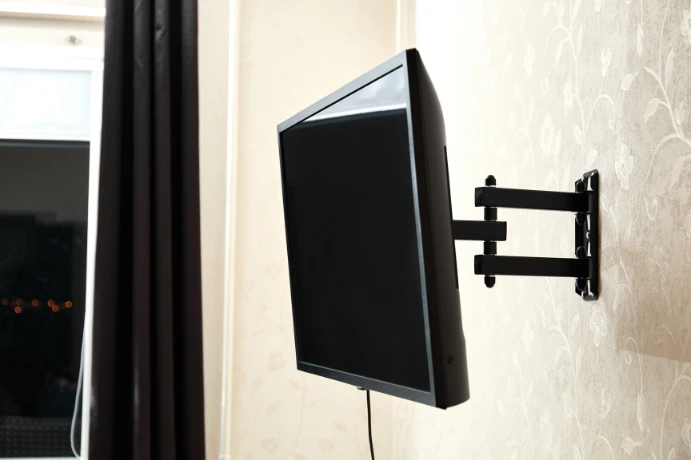
- Full-motion mounts: check for security screws near the arm or TV plate
Step 4: Support The TV Before Lifting
One person should support each side of the TV before the final release. Keep hands on the frame, not the screen panel. Large TVs can flex if lifted unevenly, so move slowly and keep the screen level.
If the TV hangs above a console, fireplace, or mantel, make sure there is enough room to lift it up and away from the wall without hitting the surface below.
Step 5: Lift The TV Off The Wall Plate
Most fixed and tilting mounts require you to lift the TV upward before it comes away from the wall. Once you release the lower lock, lift the TV straight up until the brackets clear the top rail of the wall plate, then move it away from the wall.
If it does not lift easily, stop. A lock may still hold the bracket, a cable may still connect to the TV, or the bracket may need a different release motion.
Release safety straps or locks only after two people support the TV.
Step 6: Set The TV Down Safely
Place the TV face-up or upright on a soft, stable surface, depending on the manufacturer’s guidance and the space available. Avoid setting the screen face-down unless the surface has padding, lies flat, and stays free of pressure points.
Keep screws, spacers, washers, and bracket parts together. If you plan to remount the TV, leave the TV-side brackets attached unless the new mount requires different hardware.
Step 7: Decide What Happens Next
After you remove the TV from the wall, decide whether you are:
- Reinstalling the same TV in the same location
- Replacing the TV with a larger or smaller screen
- Moving the TV to another room
- Removing the wall plate and patching the wall
- Reusing the same mount
- Upgrading to a tilting or full-motion mount
- Adding cleaner cable management or wire concealment
If the next step is a new installation, review the mount compatibility, wall support, screen height, and cable path before drilling new holes. For planning the next installation, see our guide on how to mount a TV on the wall.
What To Do With Cables And Wire Concealment
Cable handling is one of the easiest places to make a mistake. Pulling the TV away from the wall while cables are still connected can bend HDMI ports, damage optical connectors, or tug on in-wall wiring.
If the TV has visible cables, unplug them before lifting the TV off the mount. If the TV has hidden wiring, check whether the HDMI, coax, or low-voltage cables pass through wall plates behind the TV and near the devices below.
If the setup uses in-wall cable routing, avoid pulling cables out until you understand where they terminate. A professional can often preserve the existing cable path and reuse it during the remount. For cleaner cable routing, Artesoft also provides wire concealment for wall-mounted TVs.
Cable Removal Checklist
- Take a photo before unplugging the TV
- Label HDMI cables when several devices share the setup
- Disconnect power before moving the TV
- Remove streaming devices attached behind the screen
- Disconnect soundbar, optical, HDMI ARC, and eARC cables carefully
- Check for cable ties, clips, and raceways
- Do not yank cables from inside the wall
- Keep cables with the device they belong to if you plan to move the TV
If you are upgrading the TV, this is also a good time to replace short HDMI cables, add a soundbar cable path, or improve the finished look before the new screen goes up.
Should You Remove The Wall Plate?
Do not remove the wall plate until you safely lift the TV off the mount. The wall plate carries the load while the TV hangs, and loosening it too early can make the setup unstable.
After you take the TV down, inspect the wall plate and decide whether it should stay.
Leave the wall plate in place if:
- You are remounting the same TV in the same spot
- The current mount fits the new TV size and VESA pattern
- The wall plate is secure, level, and properly fastened into structure
- The height and viewing position still work
Remove or replace the wall plate if:
- The new TV uses a different mount
- The new TV size changes the ideal height
- The old installer did not level the mount
- The fasteners missed the structure
- The wall has damage or weak anchors
- You are changing from fixed to tilting or full-motion
- You want cleaner wire concealment before the TV goes back up
If the old wall plate uses large lag bolts, expect visible holes after removal. Drywall may patch easily, but brick, stone, tile, and fireplace surfaces need more careful planning.
Special Situations
Removing A TV Above A Fireplace
A TV over a fireplace usually sits higher, feels harder to control, and gives you less access from the bottom. The mantel can block your lift path, and the wiring may run through a recessed box or side channel.
If the TV hangs above a fireplace, have two people and a clear landing surface ready before releasing the lock. For fireplace-specific planning, see Artesoft’s TV over fireplace installation service.
Removing A Samsung Frame TV
Samsung Frame TVs can have specialty mounts, slim wall clearances, and a One Connect cable that needs careful handling. Do not pull the screen away from the wall until you understand the cable path and mount release.
If you will remount the TV or replace it with another Frame model, professional Samsung Frame TV installation can help preserve the clean, gallery-style look.
Removing A Full-Motion Mount
Full-motion mounts can extend away from the wall, which makes access easier but changes the balance. Keep the arm controlled while removing the TV. After you take the TV down, fold the arm back carefully before removing the wall plate or hardware.
Removing A Large Or Heavy TV
Larger screens are not just heavier. They are also more awkward to hold, and the panel can flex if one person carries too much of the weight. If you cannot comfortably lift the TV with two people, it is better to hire help than risk dropping the screen.
Moving Or Replacing A TV
If you are moving, replacing the TV, or changing rooms, label the mount hardware and check whether you can reuse the mount. The new TV may have a different VESA pattern, weight, depth, or cable location.
When To Hire A Professional
Two careful people can remove some small TVs on simple fixed mounts. Consider professional help when the setup is larger, higher, more expensive, or connected to hidden wiring.
You should consider a TV mounting service if:
- The TV has a large or heavy screen
- The TV sits above a fireplace
- You cannot find or confirm the mount release
- The TV uses a full-motion mount
- You may need to remove or relocate the wall plate
- The TV has in-wall wire concealment
- You are replacing the TV with a different size
- You want the TV remounted in a cleaner position
- The wall uses brick, concrete, tile, stone, or metal studs
- You are worried about damaging the wall, cables, or screen
Professional removal is not just about taking the TV down. It also helps with planning the next step, whether that means patching the wall, reusing the mount, installing a new bracket, adjusting the height, or cleaning up the cable path.
After The TV Is Removed
Before you call the project finished, check the TV, wall, cables, and hardware.
After Removal Checklist
- Confirm the screen has no scratches or cracks
- Check that HDMI and power ports stayed straight
- Store screws, washers, spacers, and brackets together
- Label the mount if you plan to reuse it
- Inspect the wall plate for loose fasteners or wall damage
- Decide whether holes need patching
- Check whether existing cables are long enough for the next setup
- Confirm the next TV fits the mount size, weight, and VESA pattern
- Plan the viewing height before remounting
- Decide whether to add wire concealment before the TV goes back up
If you are reinstalling the TV, do not assume the old wall plate location is still correct. A new TV size can change the center height, bottom clearance, and cable access.
TV Removal FAQ
Can one person remove a TV from a wall mount?
For small TVs, one person may be able to remove the screen from a simple mount, but two people make most wall-mounted TV removals safer. Larger screens are awkward to lift evenly, and twisting or flexing can damage them.
How do I know how my TV mount releases?
Look under the bottom edge of the TV for screws, pull cords, tabs, straps, or a locking bar. If you still have the mount manual, check the release instructions before lifting the TV.
Should I remove the wall plate before taking the TV down?
No. Remove the TV from the mount first. Keep the wall plate secure until the screen is safely off the wall.
What if the TV will not lift off the mount?
Stop and look for a safety lock that still holds the bracket. Many mounts have bottom screws, pull cords, or tabs that you must release before the TV can lift off the wall plate.
Can I reuse the same mount for a new TV?
Sometimes. The mount must support the new TV’s size, weight, and VESA pattern. You should also confirm that the old wall plate location gives the new TV the right viewing height.
What should I do with hidden TV wires when removing the screen?
Disconnect cables carefully and avoid pulling low-voltage wires out of the wall unless you know the route. If you plan to remount the TV, preserve the existing cable path when possible to save time and reduce wall damage.
Do I need a professional to remove and remount my TV?
Not always. You may be able to handle a small TV on a simple fixed mount. Professional help usually makes sense for large TVs, fireplace installations, full-motion mounts, hidden wiring, difficult walls, or any setup that needs a clean remount.
Final Thoughts
Removing a TV from a wall mount safely is about control. Disconnect the cables, identify the mount release, support the screen with two people, release the lock carefully, and lift the TV off the wall plate without forcing it.
If the TV has a large screen, hangs high, connects to hidden wiring, or needs replacement, plan the remount as carefully as the removal.
Need help removing, moving, or remounting a TV?
Artesoft can remove wall-mounted TVs, handle cables, check the bracket, protect the screen, and reinstall the TV cleanly in the right location.