

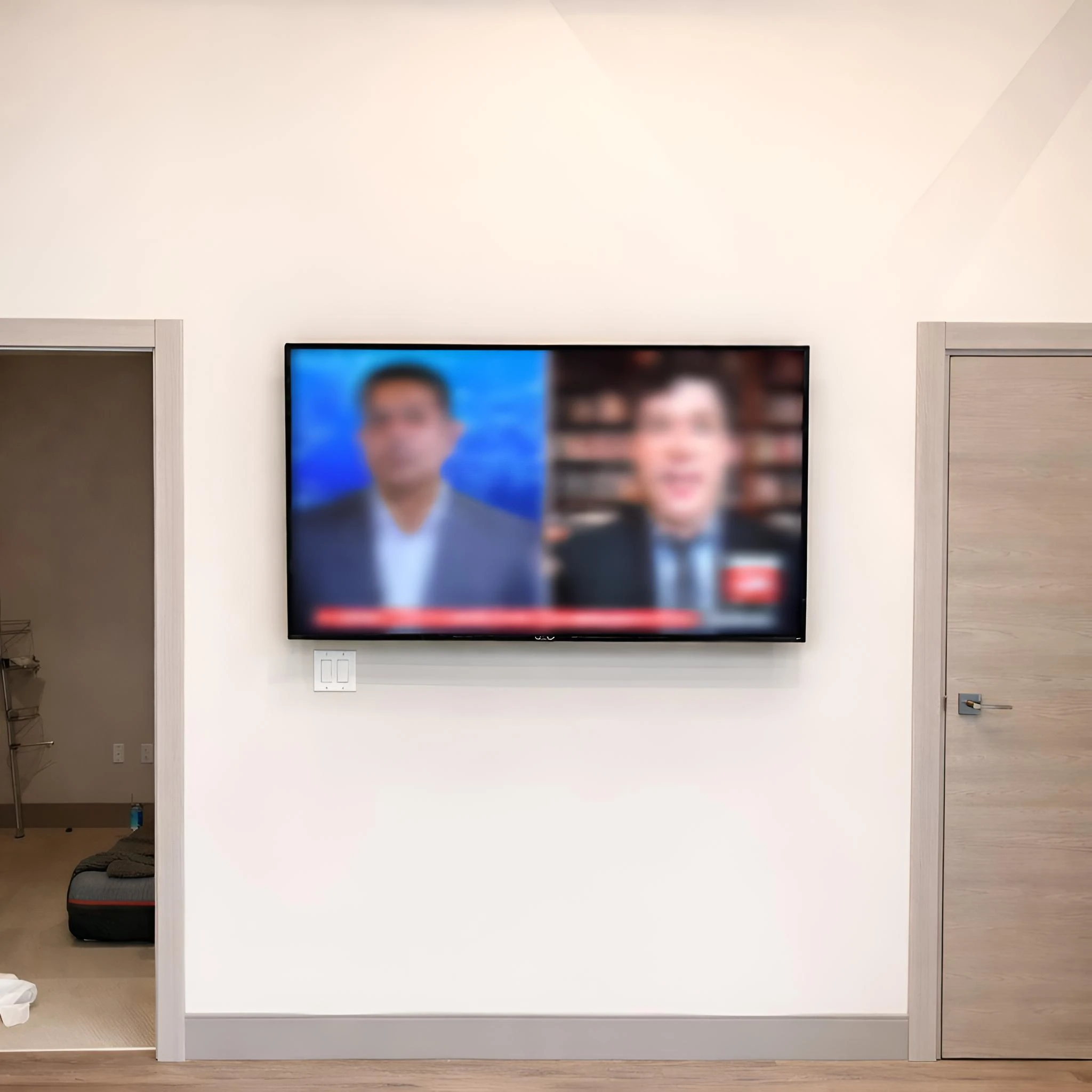
Mounting a TV on the wall can make a room look cleaner, but exposed cords can quickly ruin the finished look. Power cords, HDMI cables, streaming devices, soundbar wiring, game consoles, and cable boxes all need a plan before the TV goes on the wall.
This guide explains the main ways to hide TV wires, when each option makes sense, and what to watch for before cutting into a wall. If you want a clean finish without visible wires, Artesoft provides professional wire concealment for wall-mounted TVs across the DMV area.
Want the clean mounted-TV look without visible wires?
Artesoft can help with wire planning, cable routing, recessed media boxes, power-location coordination, and clean finished TV setups.
Why TV Wires Need A Plan
The best time to plan wire concealment is before the TV is mounted. Once the screen is on the wall, access behind the TV is limited, especially with low-profile mounts. If the outlet, HDMI path, wall plate, or recessed box is in the wrong place, the TV may not sit close to the wall or the cables may remain visible.
A good wire plan should answer:
- Where will the TV get power?
- Where will HDMI cables, streaming devices, or soundbar cables go?
- Will the cable path be visible, surface-mounted, or inside the wall?
- Does the wall have studs, blocking, insulation, masonry, tile, or fireplace conditions?
- Will the setup need future access for devices or service?
- Does the finished result need to look clean from normal seating positions?
For a clean result, wire concealment should be treated as part of the TV installation, not something handled after the TV is already mounted.
Before You Hide TV Wires
Before choosing a wire concealment method, look at the wall, the TV mount, and the devices connected to the TV. A simple bedroom TV may only need a clean cord cover. A living room setup with a soundbar, gaming console, cable box, or fireplace wall may need more planning.
Before You Start Checklist
- Confirm whether the TV is already mounted or still needs to be installed
- Check where the current outlet is located
- Identify the wall type
- Decide where HDMI devices, streaming boxes, and sound equipment will sit
- Confirm whether cables need to be accessible later
- Check whether the mount is fixed, tilting, or full-motion
- Decide whether surface concealment is acceptable
- Confirm whether an in-wall cable path is practical
- Do not run a regular power cord inside the wall
- Plan the wire path before finalizing the TV height
If the TV is not mounted yet, it may be worth planning the wire path at the same time as the TV mounting service so the outlet, mount, and cable route work together.
Option 1: Use A Surface Cord Cover
A surface cord cover is usually the simplest way to hide visible TV wires. It is a plastic or metal channel that mounts on the wall and covers the cable path from the TV down to an outlet, media cabinet, or console.
This option works well when:
- You want a cleaner look without opening the wall
- The TV is in an apartment or rental
- The wall is masonry, brick, tile, or another surface that makes in-wall work difficult
- You need a budget-friendly solution
- The cable path is short and mostly vertical
Surface raceways can often be painted to match the wall. They are not as invisible as in-wall routing, but they are cleaner than loose dangling cables and can be a practical choice when in-wall work is not possible.
Option 2: Hide Cables Behind Furniture
If the TV sits above a console, cabinet, or media stand, some cables can be routed behind furniture instead of inside the wall. Clips, cable sleeves, and cable wraps can keep power strips, HDMI cables, and device cords from becoming a visible tangle.
This is useful for:
- Stand-mounted TVs
- Media consoles below a wall-mounted TV
- Office monitors and desk setups
- Gaming areas with several devices
- Temporary setups where wall work is not worth it
The downside is that furniture-based cable hiding does not fully solve the visible vertical cable drop from a wall-mounted TV unless the outlet and media connections are already positioned behind the screen.
Option 3: Use A Recessed Media Box
A recessed media box sits inside the wall behind the TV and gives cables, plugs, and low-profile devices a place to sit without pushing the screen away from the wall. This can help the TV sit cleaner against the wall, especially with fixed or slim mounts.
A recessed box may help when:
- The TV is mounted close to the wall
- A plug or HDMI connector prevents the TV from sitting flat
- A streaming device needs to sit behind the TV
- The setup needs cleaner cable organization
- The wall has enough depth for the box
The exact setup depends on the wall depth, stud placement, outlet location, TV size, and device layout. This is one of the situations where professional planning can save time and avoid a messy result.

Option 4: Route Low-Voltage Cables Inside The Wall
Low-voltage cables, such as HDMI, coax, optical audio, and ethernet, can often be routed through an approved wall path when the wall conditions allow it. This can create the cleanest look because the cables are hidden between the TV and the lower media area.
Common in-wall cable planning includes:
- HDMI cables from the TV to a console
- Coax cable for cable or antenna service
- Ethernet cable for wired internet
- Optical audio or soundbar wiring
- Speaker or low-voltage AV cables
In-wall routing is not the right choice for every wall. Insulation, fire blocking, masonry, tile, plaster, fireplaces, and unknown obstructions can make the work more complicated. The wall path should be planned carefully before cutting.
Which Wire Concealment Option Fits Your Setup?
Use the room conditions to choose the right level of concealment. The cleanest-looking option is not always the best option if the wall, outlet location, or device setup does not support it.
Wire Concealment Option Checklist
- Choose a surface cord cover if you need a simple, non-invasive solution
- Choose furniture-based cable management if most devices sit on a console
- Choose a recessed media box if plugs or devices need room behind the TV
- Choose in-wall low-voltage routing if HDMI, coax, ethernet, or audio cables need to disappear between the TV and media area
- Plan power behind the TV if the outlet is currently visible below the screen
- Use extra caution for fireplace, masonry, tile, plaster, and full-motion mount setups
- Keep future access in mind if devices may need to be changed later
Option 5: Plan Power Safely Behind The TV
Power is the part of wire concealment that needs the most caution. A regular TV power cord should not simply be dropped inside the wall. If the power cord is visible, the cleaner solution is usually to have an outlet located behind the TV or use a code-compliant in-wall power relocation kit where appropriate.
Power safety note: Do not run a regular TV power cord inside the wall. Use an outlet behind the TV, an approved in-wall power kit, or another code-compliant method.
Power planning may involve:
- Adding an outlet behind the TV
- Relocating an existing outlet
- Coordinating a recessed power box
- Using an approved in-wall power kit
- Keeping power accessible for future service
If you are unsure whether a power setup is allowed, do not guess. Hiding a cord is not worth creating an unsafe installation.
Special Situations
Some TV wire concealment projects need extra planning because the wall or TV setup changes the normal cable route.
TV Over Fireplace
Hiding wires above a fireplace can be more difficult because of heat, wall material, mantel height, masonry, and limited access behind the wall. If the TV is going above a fireplace, review the full placement and cable path before committing to the mount location. Artesoft’s TV over fireplace installation page covers that situation in more detail.

Samsung Frame TVs
Samsung Frame TV installations often involve a One Connect Box, a low-profile mount, and a very clean art-style finish. The wire path and box location need to be planned before the TV is mounted. If that is your setup, see Artesoft’s Samsung Frame TV installation service.
Brick, Stone, Tile, Or Masonry Walls
Masonry and tile walls can make wire concealment more difficult. Surface raceways may be the cleaner practical choice in some rooms, while other setups may require specialty drilling, anchors, or a different device layout.
Full-Motion Mounts
Full-motion mounts need cable slack because the TV moves away from the wall. A wire path that looks clean when the TV is flat may pull, pinch, or expose cables when the mount extends or swivels. Cable length and routing should match the mount movement.
When To Hire A Professional
Some wire hiding projects are simple DIY work, especially if you only need a short surface cord cover or basic cable clips behind furniture. The project becomes more important when you want the wires fully hidden, the TV close to the wall, or the setup coordinated with outlets and media devices.
You should consider professional wire concealment if:
- You want no visible wires below the TV
- The TV is already mounted and cables are hard to access
- You need a recessed media box
- You want low-voltage cables routed inside the wall
- Power needs to be relocated or planned behind the TV
- The TV is going above a fireplace
- The wall is brick, stone, tile, plaster, or masonry
- You have a soundbar, cable box, game console, or multiple HDMI devices
- The TV needs to sit very close to the wall
- You are unsure what is behind the wall
Professional concealment is not just about hiding cables. It is about planning the wall, power, devices, mount type, and final appearance together.
Hide TV Wires FAQ
What is the cleanest way to hide TV wires?
The cleanest option is usually a planned setup with power behind the TV and low-voltage cables routed through an approved wall path. A recessed media box can also help the TV sit closer to the wall.
Can I hide TV wires without cutting the wall?
Yes. Surface cord covers, cable raceways, furniture routing, cable sleeves, and clips can clean up visible wires without opening the wall. This is often the best option for rentals or difficult wall surfaces.
Can I run a TV power cord behind the wall?
Do not assume a regular TV power cord can be run inside the wall. Power should be handled with an outlet behind the TV, an approved in-wall power kit, or another code-compliant method.
Can HDMI cables go inside the wall?
Low-voltage cables like HDMI can often be routed inside the wall when the cable type and wall path are appropriate. Use cables rated for the intended wall use and avoid routes with unknown obstructions.
Do I need a recessed box behind my TV?
Not always. A recessed box is helpful when plugs, HDMI connectors, streaming devices, or outlet placement prevent the TV from sitting close to the wall. The right answer depends on the TV, mount, wall depth, and device layout.
How do you hide wires for a TV over a fireplace?
Fireplace wire concealment needs extra planning because of heat, wall materials, height, and cable routing. In many cases, it is better to plan the mount location, outlet, and wire path together before any drilling or cutting.
Final Thoughts
Hiding TV wires is less about one product and more about choosing the right plan for the room. A surface cord cover may be enough for a simple setup, while a clean wall-mounted TV may need a recessed box, outlet planning, and in-wall low-voltage cable routing.
Need help hiding TV wires?
Artesoft can help with surface concealment, in-wall cable routing, recessed media boxes, power-location planning, fireplace setups, and clean wall-mounted TV finishes.